Spam Call Blocker - Caller ID
- 3.2
- Rating
- 1.00M
- Installs
- Free
- Price

 Analysis by App-foxy
When an unknown number rings repeatedly, the real problem is not only the interruption. It is the time spent deciding whether to answer, the missed call that might matter, and the growing clutter in your call history and messages. I tested Spam Call Blocker - Caller ID as a communication app built around that everyday problem, and I found its main appeal in the idea of bringing calls, SMS, and contacts into one place rather than treating spam as an isolated nuisance.
My view is fairly simple: this is worth considering if you want a single tool for managing unwanted communication and you are comfortable spending time checking how it fits your phone’s normal calling and messaging habits. It is less convincing for someone who only needs occasional blocking and already feels well served by the phone’s built-in controls. The decision depends less on the promise of a spam blocker and more on how much control you want over your whole communication routine.
What I looked for before recommending it
I approached the app as a practical communication utility, not as something I would open for entertainment. The first question was whether it could make daily call handling easier. A useful caller tool should help me identify or deal with suspicious calls without making ordinary contacts harder to reach. It should also avoid turning a straightforward task, such as blocking a number or finding a recent message, into a confusing sequence of screens.
You May Also Like

 Blood Strike: 2.5 Anniversary
Blood Strike’s Loadouts Turn Every Drop Into a Tactical Gamble
A close look at Blood Strike’s custom loadouts: how fast access to signature weapons reshapes its battle royale rhythm, rewards preparation, and narrows the gap between fights.

 Pandora - Music & Podcasts
Pandora’s Music Is Easy to Start, but Harder to Recover
Pandora’s strength is its low-effort path from a seed to a station. Its weak spot is how much confidence it asks you to place in connection, setup, and quiet recovery.

 8 Ball Pool
 Is Built on Rivalries, Rematches, and Routine
A close look at the rivalries, rematches, shared routines, and unanswered safety questions that turn a quick pool match into a persistent mobile community.

 Samsung Music
’s Quiet Strength Is Playing What You Already Own
Its reach comes less from spectacle than from dependable access to a personal library. That simplicity is both the app’s strongest retention engine and its ceiling.

 AccuWeather: Weather Radar
AccuWeather Review: A Quick, Clear Forecast for Everyday Decisions
For everyday plans, the best forecast is the one you can understand quickly. AccuWeather makes rain timing, radar, and local conditions easy to act on, with a few trade-offs.

 Hill Climb Racing
Why Hill Climb Racing Still Turns Crashes Into One More Run
A tiny car, a bumpy hill and one more upgrade: Hill Climb Racing keeps resurfacing because its simple chaos makes every near-miss feel personal.
More From Our News Desk



The second question was whether combining several functions actually improves the experience. Managing calls, SMS, and contacts together can be convenient because these activities are connected in real life. A suspicious caller may also send a text, while a saved contact can make an incoming call less mysterious. At the same time, an all-in-one approach can feel heavier than a focused blocker. I paid attention to that trade-off because convenience is only useful when the extra organization does not create extra work.
I also considered who should trust this kind of app with their daily communication workflow. People who receive frequent sales calls, repeated unknown numbers, or unwanted texts may appreciate a dedicated control center. Someone who rarely encounters spam may prefer not to change the way their phone already handles calls. In my experience, the best choice is the one that reduces decisions rather than adding another layer to them.
The app is free to install and is marked for Everyone, which makes it approachable for a broad audience. It comes from Brando Apps and has reached over a million installs, so it is not an obscure experiment with no visible user interest. Its average rating is around 3.2, a useful reminder to keep expectations measured rather than assuming the experience will suit every phone or every caller-management style.
The first practical test: ordinary calls versus unwanted calls
A spam tool has to handle the boring moments well. I wanted to know whether I could still deal comfortably with familiar callers while using the app for less welcome numbers. That distinction matters because aggressive filtering can be just as frustrating as receiving spam. A blocked sales call is helpful; a missed delivery driver, clinic, school, or family member is not.
My advice is to begin cautiously. Rather than treating every unknown caller as dangerous, I would first use the app to observe how it fits with the numbers I actually receive. Save important contacts before relying on any blocking workflow, and review recent calls regularly during the first few days. That small habit is one of the most useful ways to reduce the risk of confusing an unfamiliar but legitimate number with spam.
Another practical point is that caller management works best when contacts are kept tidy. If the phone book contains duplicates, old entries, or vague labels, an app that brings calls and contacts together cannot completely solve that underlying mess. I found that cleaning up contact names first makes later decisions faster. It becomes easier to recognize a person or organization and harder to mistake a legitimate call for an anonymous nuisance.
Where the unified approach is genuinely useful
The strongest idea here is not simply blocking. It is the attempt to connect three related tasks: handling calls, dealing with SMS, and maintaining contacts. That can be valuable for people who receive a mixture of unwanted calls and messages from the same sources. Instead of checking separate parts of the phone, you can approach communication as one stream that needs sorting.
Imagine a normal weekday in which several unfamiliar numbers appear while you are working. One call looks suspicious, another leaves no useful context, and an SMS arrives soon afterward. With a unified tool, I would rather review those interactions together than jump between separate apps and remember which number belongs to which event. The benefit is not dramatic in a single moment, but it can reduce friction over a week of interruptions.
A less obvious use is contact maintenance after a busy period. If you have recently dealt with couriers, service providers, schools, or temporary work contacts, the app’s communication-centered design may encourage you to decide which numbers deserve a permanent place in your address book. That is more useful than blocking blindly, because it turns repeated encounters into a cleaner contact list.
I also see value for users who are not confident with phone settings. The standard smartphone tools for blocking numbers, filtering messages, and organizing contacts can be scattered or presented differently depending on the device. A dedicated app may provide a more understandable starting point. The trade-off is that the app itself becomes another interface to learn, so its usefulness depends on whether its organization feels clearer than the system tools already on your phone.
Small habits that make the app more effective
My first tip is to separate “unknown” from “unwanted.” An unfamiliar number is only a clue, not proof of spam. If you block every number you do not recognize, you may create problems for legitimate first-time callers. I would use the app as a decision aid and review context before applying a permanent block.
My second tip is to treat SMS and calls as connected evidence. A call with no explanation followed by a vague message deserves more caution than either event viewed alone. Conversely, a clear text from a recognizable organization may explain an unknown call. Looking at both channels together is one of the more useful reasons to choose this app instead of relying only on a basic call-blocking list.
My third tip is to review your blocked numbers occasionally. Blocking is easy to forget, and old decisions can remain in place long after the original problem has disappeared. A short review helps prevent accidental overblocking and gives you a chance to remove numbers that were only temporarily troublesome. This is especially important if your phone is shared with family members or used for work and personal communication at the same time.
Finally, I would avoid changing too many communication settings at once. Start with the behavior you most want to improve, such as repeated spam calls, and then decide whether the SMS and contact tools add value. This staged approach makes it easier to identify whether a problem comes from the app, the phone’s existing settings, or an overcomplicated personal workflow.
What may frustrate experienced phone users
The same all-in-one design that attracts new users may feel unnecessary to people who already have a reliable routine. Many Android and iOS phones include their own options for blocking callers, filtering messages, and managing contacts. If those tools already meet your needs, adding a separate communication app may not produce a noticeable improvement.
There is also a learning cost. Any app that touches calls, SMS, and contacts asks you to understand its organization and decide which parts you want to use. For a person who only wants to block one persistent number, that broader scope can feel like too much. I would not install it solely because the name sounds useful; I would install it because I want a more centralized way to manage several kinds of unwanted contact.
The rating of around 3.2 reflects a mixed overall reception, and I think that is the right attitude to bring to the app. It may be helpful, but it should not be treated as an automatic guarantee that every unwanted call will be identified perfectly or that every phone will behave in exactly the same way. Caller handling is closely tied to the device and operating system, so personal testing matters more than a confident promise.
The current version is 8.0 and it requires OS 9 or later. Before changing your daily calling setup, check that your device meets that requirement and that you are comfortable making the app part of your regular communication process. Compatibility is not just a technical checkbox here; it affects whether calls, messages, and contacts feel consistently available when you need them.
Choosing between this app and the usual alternatives
If your main priority is simplicity, the phone’s built-in blocking controls are often the sensible first option. They usually involve fewer moving parts, and you already know where to find them. I would choose that route for a light spam problem, especially if unwanted calls are occasional and I do not need a combined view of messages and contacts.
If your priority is broader organization, this app has a clearer reason to exist. Its focus on bringing calls, SMS, and contacts together is more relevant to someone whose spam problem crosses channels. Instead of maintaining an isolated list of blocked callers, you can think about the entire communication trail. That is a meaningful distinction, even though it does not automatically make the app better for everyone.
There is a third category: specialized caller-identification services. Those may appeal to people who primarily want information about unknown callers before deciding what to do. I would consider that type of alternative when identification is more important than contact management. By contrast, I would look at this app when the practical goal is to organize and control communication in one place.
For privacy-conscious users, the decision deserves extra thought. Calls, texts, and contacts are sensitive parts of a phone, so I would read the app’s permission prompts and privacy explanations carefully before enabling any access. I am not saying that this makes the app unsuitable; I am saying that convenience should be weighed against how comfortable you are with a third-party tool becoming part of your communication workflow.
Switching also has a cost that is easy to overlook. You may need to recreate blocking decisions, learn a new layout, and adjust habits around contact cleanup. If your current setup is already working, that effort may not be justified. On the other hand, if you repeatedly move between call history, messages, and contacts to handle the same unwanted number, the centralized approach can repay that effort over time.
Free access and the role of in-app purchases
The app is free, which makes trying it relatively straightforward. That is useful because the most important test is personal: does it make your own call and message routine calmer, or does it add another screen to manage? I would use the free starting point to evaluate the everyday workflow before considering any optional spending.
In-app purchases range from $3.49 to $49.99 per item. That is a wide span, so I would pay close attention to what each purchase changes and whether it solves a problem I actually have. A paid option is easier to justify when it removes a repeated annoyance, but I would not pay simply to make the app feel more complete. The free experience should establish whether the basic concept suits you first.
Families should be especially deliberate about this. A communication tool may be used frequently, and a small purchase can become less small if several people use separate devices or if optional items are bought without a clear plan. Since the app is rated for Everyone, it may be approachable for different age groups, but adults should still decide how it fits into a child’s or older relative’s phone routine.
Who should install it, and who should skip it?
I would recommend trying Spam Call Blocker - Caller ID if you regularly deal with unwanted calls and messages and want those interactions considered together. It is particularly suitable for people who prefer a dedicated communication workspace over scattered system settings. It also makes sense if contact organization is part of the problem, not merely the number of spam calls.
I would be more cautious if you receive important calls from unfamiliar numbers. In that situation, blocking behavior needs careful review, and a simple notification or manual screening routine may be safer. The app can support your decisions, but I would not hand over judgment entirely to any automated approach when missed calls could affect work, healthcare, deliveries, or family responsibilities.
I would skip it if your phone’s existing tools already block the calls you dislike and you have no interest in bringing SMS and contacts into the same workflow. I would also skip it if you dislike adjusting communication permissions or learning a new interface for a problem that happens only once in a while. The app’s value grows with the complexity and frequency of the communication problem; it does not grow merely because more features are present.
Overall, I see this as a practical but not universal choice in the communication category. Brando Apps has built an app around a sensible everyday need, and the combined treatment of calls, SMS, and contacts gives it a distinct angle. Still, the mixed rating and the potential learning curve make a careful trial more sensible than an unquestioning switch.
My recommendation is to start with one clear goal: reduce repeated spam interruptions without losing legitimate callers. Keep important contacts organized, review unfamiliar numbers instead of blocking them automatically, and evaluate whether the unified view genuinely saves time. If it does, the app can become a useful part of your phone routine. If it does not, the built-in tools or a narrower alternative will probably be the better fit. The right choice is the one that gives you more control without making ordinary communication harder.
FAQs for Spam Call Blocker - Caller ID
01What is Spam Call Blocker - Caller ID and how does it work?
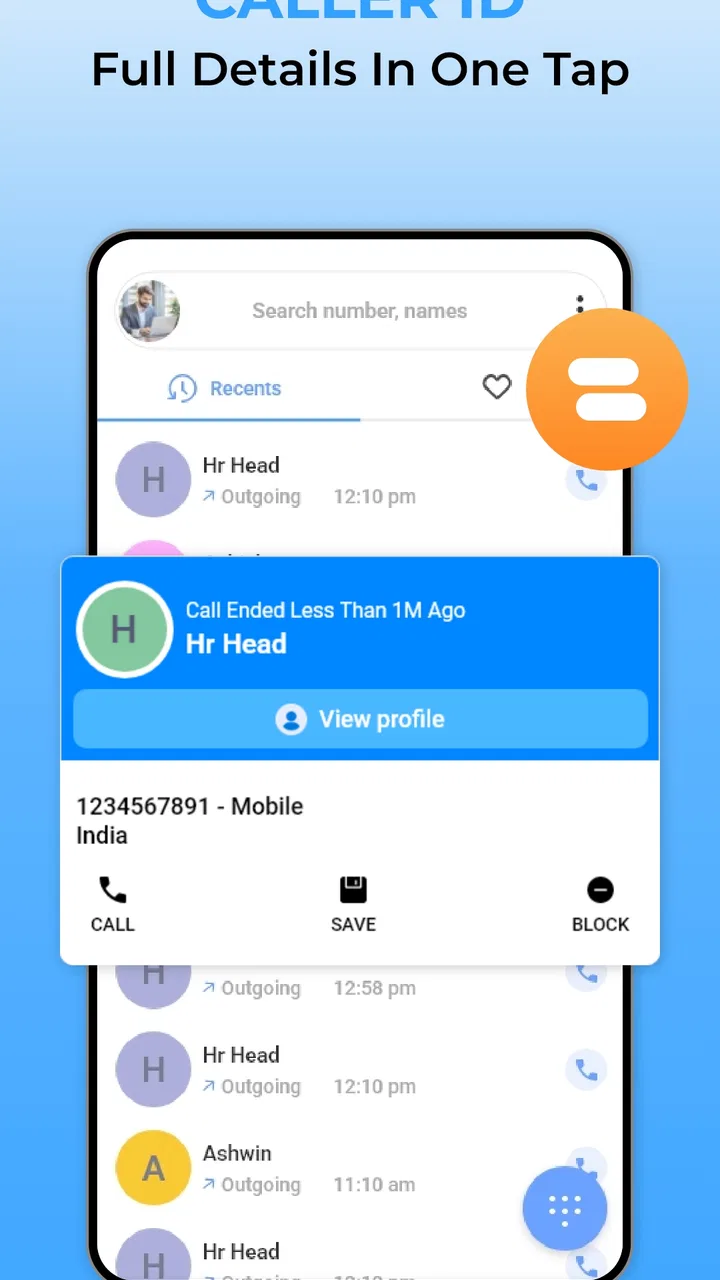
Spam Call Blocker - Caller ID is designed to identify suspicious callers, warn you about potential spam, and help prevent unwanted calls from reaching your phone. Depending on your device and permissions, it may compare incoming numbers with a spam database, display caller information, and let you block individual numbers or broader categories of unwanted calls.
02Does Spam Call Blocker - Caller ID automatically block every unknown number?
No, an unknown number is not necessarily a spam call, so the app generally distinguishes between unidentified callers and numbers reported as suspicious. Its behavior depends on the blocking settings you select. Before downloading, review the available options carefully, because aggressive filtering could also block legitimate calls from businesses, delivery services, medical offices, or people who are not saved in your contacts.
03What permissions does the app require, and is my personal information safe?
Caller identification and blocking tools commonly request access to phone-related functions, such as incoming call information, contacts, or call management features. These permissions are needed for the main functions to work, but you should read the app’s privacy policy and the store listing before granting access. Avoid enabling permissions that seem unrelated to caller identification or blocking.
04Can I create a personal blacklist and whitelist with this app?
Most useful call-blocking applications allow you to block specific phone numbers and protect important contacts from automatic filtering. Spam Call Blocker - Caller ID may provide settings for managing blocked numbers, trusted contacts, or call categories, depending on the operating system version. Check the configuration after installation so important calls are not accidentally silenced or rejected.
05Is Spam Call Blocker - Caller ID free to use, and are there advertisements or premium features?
The basic download may be free, but some features can require advertising support, a subscription, or a one-time purchase. Premium options may include expanded caller identification, larger spam databases, automatic blocking, or an ad-free experience. Check the current Google Play Store or App Store listing for pricing, trial terms, renewal details, and in-app purchase information before subscribing.
Pros
- Identifies many unknown callers before you answer.
- Blocks suspicious numbers automatically with customizable rules.
- Searches phone numbers to reveal possible spam reports.
- Lightweight design makes the app quick to navigate.
- Useful call history helps spot repeated unwanted callers.
Cons
- Some caller details may be unavailable for newly registered numbers.
- Automatic blocking can occasionally stop legitimate business calls.
- Full protection may require access to call-related permissions.
- Spam databases may vary in accuracy by country or region.
- Frequent database updates can use mobile data in the background.

Spam Call Blocker - Caller ID
Gallery